Skip to content
77zzz Mobile / Live
LIVE LOBBY

77zzz — Slots, Live Tables and Cricket Betting in One Place

Slots from PG Soft, CQ9 and Microgaming sit alongside live dealer tables and a sportsbook built around cricket — all reachable from your phone in seconds. Deposit and withdraw through bKash, Rocket or Upay, the same wallets you already use every day, subject to your local law and eligible region.

bKash Nagad Rocket
Browse games
CONTENT / 01

Games the Lobby Gets Asked About Most

A handful of titles draw consistent attention across the catalogue. Dhaka Coast Reels is a slot built around a local visual theme with the kind of feature mechanics PG Soft is known for on mobile screens. Crash Smoke, supplied by CQ9, runs on a multiplier format where you set your exit point — straightforward to follow on a small screen and quick to replay.

  • Dhaka Coast Reels

  • Crash Smoke

  • Baccarat Green Table

  • Roulette DiamondSpin

  • Cricket Battle

DISCOVER / 01

Choose your game

Full lobby
GAME NETWORK
PG Soft
PlayStar
Joker
Microgaming
JDB
CQ9
CONTENT / 04

77zzz lobby studios

The 77zzz lobby carries content from PG Soft, PlayStar, Joker, Microgaming, JDB, CQ9. To check the studio, rules or features of one specific game, open that game card or the published information panel.

  • PG Soft

  • PlayStar

  • Joker

  • Microgaming

  • JDB

  • CQ9

LOCAL PAYMENTS

Deposits and Withdrawals via bKash, Rocket and Upay

Your account wallet connects directly to the mobile payment rails most used in Bangladesh. bKash, Rocket and Upay are all supported, so you can move money using the app already on your phone rather than setting up a new method. To make a deposit, open the cashier section inside your account, select your preferred wallet, enter the amount and follow the confirmation steps shown on screen. Withdrawal requests follow the same route in reverse — select the wallet, enter the amount and confirm.

  • bKash

  • Rocket

  • Upay

  • Bank Transfer

Banking
ACCOUNT PATH

From Registration to Your First Session in Four Steps

Getting started takes a few minutes. First, open the account registration page and fill in the fields shown — your mobile number, a password and the basic details required. Second, verify your mobile number using the confirmation code sent to your phone. Third, open the cashier and complete the wallet-linking step for bKash, Rocket or Upay — the screen walks you through the fields and any verification the payment provider requires. Fourth, once your wallet is linked and your first deposit is confirmed in your account balance, head to the lobby and choose a category.

  1. Create Your Account

    Open the registration page and complete the required fields including your mobile number.

  2. Verify Your Number

    Enter the confirmation code sent to your phone to activate your account.

  3. Link Your Wallet

    Open the cashier, select bKash, Rocket or Upay and follow the linking steps shown on screen.

  4. Enter the Lobby

    With your balance confirmed, choose a game category and start your session.

MEMBER DESK / 06

Offers, support and account controls

01

Game lobby

02

Payment guide

03

Support

ACCOUNT DESK

Account information

Review current account information after signing in.

Login
FEATURE BRIEF / 05

Sportsbook Built Around Cricket for Bangladesh

Cricket is the category Bangladeshi sports fans follow most closely, and the sportsbook reflects that. International fixtures, IPL and BPL matches appear in the schedule as they are confirmed, with markets available through the standard sportsbook interface. Football Halftime Bet is a separate in-play format that runs alongside the main sportsbook for those who want a faster decision cycle during a match. To find current cricket markets, open the sportsbook tab in the lobby and select the cricket category — available fixtures and their markets are listed there in real time.

Game feature guide
  • Cricket Battle

    International and BPL cricket markets available through the sportsbook tab as fixtures are scheduled.

  • Football Halftime Bet

    An in-play format for football matches with a faster decision cycle, accessible from the sportsbook section.

  • Live Sportsbook

    Open the sportsbook tab in the lobby for current fixtures, markets and in-play options across available sports.

TRUST / 03

Help Routes for Your Account and Wallet

Support is available through the channels listed in your account's help section. If you have a question about a deposit or withdrawal that has not reflected in your balance, the first step is to check the transaction history in your account wallet — it shows the status of each request and any reference number you may need.

  • Live Chat

    Available to signed-in members from the help icon in the account menu. Use this for account questions, wallet status checks and anything that needs a direct response from the support team during available hours.

  • Transaction Help

    Check your wallet transaction history first — each entry shows the current status and a reference number. If a deposit or withdrawal is showing as pending beyond the timeframe shown in the cashier, contact support with that reference number ready.

  • Account Recovery

    Forgotten passwords and locked accounts are handled through the recovery flow on the login page. Enter your registered mobile number and follow the steps shown. If the automated flow does not resolve the issue, live chat can escalate it.

Learn more →
MOBILE ACCESS

The Full Lobby on Your Phone, No Download Needed

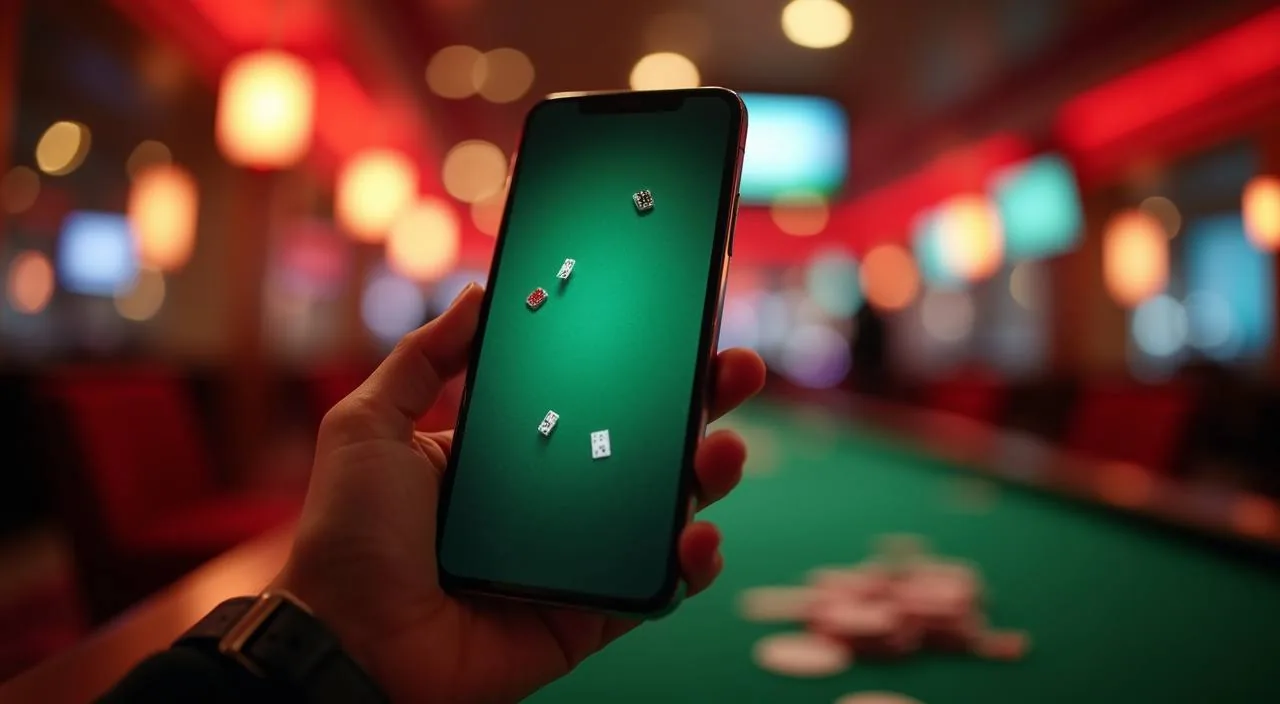
The 77zzz lobby is built to run in a mobile browser without requiring an app download. Open the site in Chrome or your default Android browser, log in and the full catalogue — slots, live tables and sportsbook — is available on the same screen you use for bKash and Rocket. The layout adjusts to your screen size automatically, so the slot grid, live table cards and sportsbook markets all reflow for a phone display rather than shrinking a desktop layout.

  • No Download Required

    The full lobby runs in your mobile browser. Open the site, sign in and you have access to slots, live tables and the sportsbook without installing anything on your device.

  • bKash and Rocket on Mobile

    Deposits and withdrawals through bKash, Rocket and Upay work from the mobile cashier the same way they do on desktop. The cashier screen shows current limits and the steps to complete each transaction.

  • Add to Home Screen

    From your browser menu, add 77zzz to your home screen for one-tap access. It opens directly to the lobby and keeps you signed in between sessions on the same device.
CONTENT / 03

The Full Lobby on Your Phone, No Download Needed

The 77zzz lobby is built to run in a mobile browser without requiring an app download. Open the site in Chrome or your default Android browser, log in and the full catalogue — slots, live tables and sportsbook — is available on the same screen you use for bKash and Rocket. The layout adjusts to your screen size automatically, so the slot grid, live table cards and sportsbook markets all reflow for a phone display rather than shrinking a desktop layout.

  • No Download Required

    The full lobby runs in your mobile browser. Open the site, sign in and you have access to slots, live tables and the sportsbook without installing anything on your device.

  • bKash and Rocket on Mobile

    Deposits and withdrawals through bKash, Rocket and Upay work from the mobile cashier the same way they do on desktop. The cashier screen shows current limits and the steps to complete each transaction.

  • Add to Home Screen

    From your browser menu, add 77zzz to your home screen for one-tap access. It opens directly to the lobby and keeps you signed in between sessions on the same device.

TRUST / 03

Account Controls and Policy Routes

Every account includes session controls accessible from the account settings menu. These let you review your activity, set parameters for your sessions and access the policy routes that govern how your account operates. The controls are there because informed play is the only kind we want to support — understanding what is available in your account settings before you start a session is a straightforward step that takes a couple of minutes.

  • Session History

    Your account keeps a record of sessions and transactions. Open the history section in account settings to review activity, check transaction status and see a timeline of your wallet movements.

  • Account Parameters

    Settings for your account sessions are in the account settings menu. Review the options shown there and adjust them to match how you want to manage your activity on the platform.

  • Policy Routes

    The terms that govern your account, wallet and withdrawal eligibility are published in the policy section. Read them before making your first deposit so you understand the conditions that apply to your region.

  • Account Pause

    If you need to step away from your account for any period, the pause option is in account settings. Follow the steps shown on screen; the support team can assist if you need help completing the process.

Learn more →
PLAYER INDEX / 07

Game Types and How They Work at 77zzz

A short reference for the game categories in the lobby, covering how each type works and where to find it.

Player guide and glossary
  • What is the difference between slots and live casino games?

    Slots are software-driven games where outcomes are determined by a random number generator. Live casino games — such as Baccarat Green Table or Roulette DiamondSpin — are streamed from a studio with a real dealer running the game in real time. Slots are available any time and run at your own pace; live tables follow a dealing schedule and you join an active session. Both categories are in the 77zzz lobby under their respective tabs.

  • What is a crash game and how does Crash Smoke work?

    A crash game runs on a multiplier that rises from 1x after each round starts. You place your position before the round begins and choose when to exit — the multiplier you lock in at exit is applied to your stake. If you do not exit before the round ends, the round closes at that point. Crash Smoke, supplied by CQ9, follows this format. The game screen shows the current multiplier in real time and your exit button is always visible during an active round.

  • Where can I find RTP information for a specific game?

    RTP figures are shown on the individual game detail screen where the studio or provider makes that data available. Not every title publishes an RTP figure — it depends on what the provider discloses. We do not display figures that have not been provided by the game supplier, and we do not publish estimated or approximate percentages. Open the game you are interested in and check the info or details section on that screen.

  • How do I filter the lobby to find games from a specific studio?

    The lobby has a studio or provider filter that lets you narrow the catalogue to titles from a single supplier. Select the studio name — PG Soft, PlayStar, Joker, Microgaming, JDB or CQ9 — from the filter row and the grid updates to show only that studio's titles. You can combine the studio filter with a category filter, for example showing only PG Soft slots, to narrow the results further. The filter controls are at the top of the lobby screen on both mobile and desktop.

  • What game categories does the sportsbook cover?

    The sportsbook covers cricket as its primary category, with international fixtures, IPL and BPL matches listed as they are scheduled. Football markets are also available, including the Football Halftime Bet in-play format. Additional sports may appear in the schedule depending on the fixture calendar and your eligible region. Open the sportsbook tab in the lobby and select a sport category to see what is currently available — the live screen is always the accurate source for current markets.

  • Can I play on mobile without downloading an app?

    Yes. The full lobby runs in a mobile browser without any download. Open the site in Chrome or your default browser, sign in and all game categories are available. The layout adjusts automatically for phone screens. You can add the site to your home screen from the browser menu for faster access. Live dealer games stream over mobile data or Wi-Fi; a stable connection gives a smoother experience for those sessions.

  • What does 'eligible region' mean for game and payment availability?

    Some game categories, payment methods and account features are available only in regions where local law permits them. When you see a reference to eligible regions, it means the feature is active for accounts in supported locations. If a payment method or game category is not showing in your account, it may not be available for your region. The account settings and cashier screens show what is active for your specific account.

Full glossary
LOBBY / 02

One mobile lobby, distinct game areas

Cricket Battle Sports Cricket Battle Access → Baccarat Green Table Live Baccarat Green Table Access → Dhaka Coast Reels Slots Dhaka Coast Reels Access → Football Halftime Bet Sports Football Halftime Bet Access → Crash Smoke Slots Crash Smoke Access → Roulette DiamondSpin Live Roulette DiamondSpin Access →
EXPLORE FURTHER / 04

Explore detailed guides

Local lobby check

QUICK ANSWERS

Frequently asked questions

Answers to the account, wallet and access questions we hear most often.

Read FAQ →
How do I deposit using bKash?

Sign in to your account and open the cashier section. Select bKash from the payment method list, enter the amount you want to deposit and follow the confirmation steps shown on screen. The cashier will display the current minimum and maximum Deposit references for bKash — check those figures there as they can change. Once the transaction is confirmed on the bKash side, your account balance updates. If the balance does not update after a completed bKash transaction, check the transaction history in your wallet and contact support with the reference number.

How long does a Rocket withdrawal take to reach my wallet?

We do not publish a fixed processing time because it can vary depending on the transaction volume at the time and any verification steps outstanding on your account. The cashier screen shows the current status of each withdrawal request. If your account has a pending identity verification step, complete that first — withdrawals are held until the required verification is done. For a withdrawal that has been approved but not yet reflected in your Rocket wallet, contact support with the transaction reference number from your account history.

What do I do if I cannot log in to my account?

Use the password recovery link on the login page. Enter your registered mobile number and follow the steps — a confirmation code will be sent to that number. If your account has been locked after multiple failed attempts, the recovery flow will guide you through the unlock process. If the automated steps do not resolve the issue, open live chat from the login page's help link and the support team can assist. Have your registered mobile number ready when you contact support.

Is Bank Transfer available as a deposit method?

Bank Transfer is available for accounts that have completed the relevant identity verification step. If you do not see it in your cashier, check whether your account has an outstanding verification requirement in the account settings section. Once verification is complete, Bank Transfer should appear as an option in the cashier alongside bKash, Rocket and Upay. Availability also depends on your eligible region — the cashier shows only the methods active for your account.

How do I link my Upay wallet to my account?

Open the cashier section in your signed-in account and select Upay from the payment method list. The screen will walk you through the linking steps, which typically involve entering your Upay mobile number and confirming via a code sent to that number. Follow each field and instruction shown on the cashier screen rather than skipping steps. If you encounter an error during linking, note the error message and contact support through live chat — they can check whether there is an account-level issue preventing the link.

Where do I find the terms that apply to my account?

The full terms are in the policy section, accessible from the footer of every page and from the account settings menu. Read the terms relevant to your account type and region before making a deposit — they cover wallet conditions, withdrawal eligibility and any conditions that apply to account offers. If you have a specific question about a term that is not clear, the support team can point you to the relevant section, though they cannot override the published terms.

Can I have more than one account?

No. Each person may hold one account. Duplicate accounts are against the platform terms and can result in both accounts being suspended and balances being reviewed. If you have lost access to your original account, use the recovery route on the login page or contact support to regain access rather than creating a new registration. The support team can verify your identity and restore access to your existing account.

How do I contact support if live chat is not available?

If live chat is not showing as available, check the help section in your account for alternative contact routes — these are listed there and may include an email or ticket submission form. For non-urgent questions about your account or a transaction, submitting a support ticket through the account help section creates a record of your query and the team will respond through that channel. Always include your registered mobile number and any relevant transaction reference numbers when you submit a request.

READY WHEN YOU ARE

77zzz game lobby

Access may be available only where local law permits.

Register Login